Description
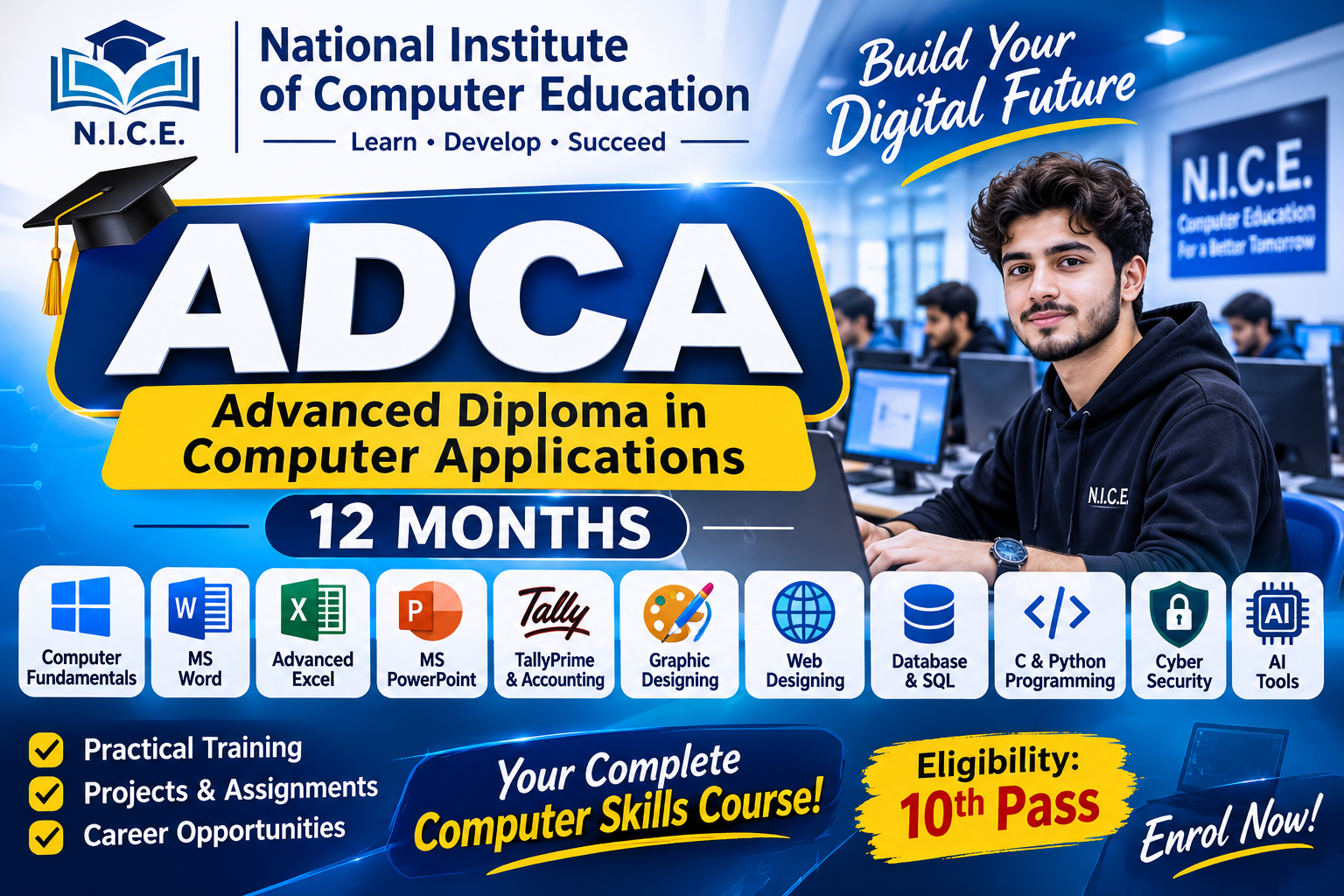
ADCA – Advanced Diploma in Computer Applications
Course Duration: 12 Months
Eligibility: 10th Pass
Course Level: Diploma
Training Method: Theory and Practical
Month 1: Computer Fundamentals
- Introduction to Computers
- History and Generations of Computers
- Types and Characteristics of Computers
- Computer Hardware and Software
- Input and Output Devices
- CPU, RAM, ROM and Storage Devices
- Computer Memory and Units
- Number Systems
- Introduction to Operating Systems
Practical: Hardware identification, computer operation and basic system management.
Month 2: Windows Operating System and Internet
- Windows 10/11 Introduction
- Desktop and Taskbar Management
- File and Folder Management
- Control Panel and System Settings
- Software Installation and Uninstallation
- Internet Fundamentals
- Web Browsers and Search Engines
- Email Management
- Google Drive and Cloud Storage
- Online Safety and Digital Services
Practical: File management, email creation and internet research.
Month 3: Microsoft Word
- Introduction to MS Word
- Document Creation and Editing
- Text and Paragraph Formatting
- Page Layout and Page Setup
- Tables and Columns
- Headers and Footers
- Page Numbering
- Images, Shapes and SmartArt
- Mail Merge
- Professional Letters, Reports and Resumes
Practical: Prepare a professional CV, business letter and project report.
Month 4: Microsoft Excel – Basic to Advanced
- Introduction to MS Excel
- Workbook and Worksheet Management
- Data Entry and Formatting
- Basic Mathematical Formulas
- SUM, AVERAGE, COUNT and MAX/MIN
- IF and Nested IF Functions
- VLOOKUP and XLOOKUP
- Sorting and Filtering
- Conditional Formatting
- Data Validation
- Charts and Graphs
- Pivot Tables and Pivot Charts
Practical: Salary sheet, attendance sheet, inventory report and business data analysis.
Month 5: Microsoft PowerPoint and Office Automation
- Introduction to PowerPoint
- Presentation Creation
- Themes and Slide Layouts
- Text, Images and Multimedia
- Tables, Charts and SmartArt
- Animations and Transitions
- Slide Master
- Presentation Design
- Introduction to MS Outlook
- Office Productivity and Document Management
Practical: Create professional business, educational and corporate presentations.
Month 6: Computerized Accounting – TallyPrime
- Introduction to Accounting
- Accounting Principles and Concepts
- Journal and Ledger
- Trial Balance
- Profit and Loss Account
- Balance Sheet
- Introduction to TallyPrime
- Company Creation
- Ledger Creation
- Voucher Entries
- Purchase and Sales Management
- Inventory Management
- GST Fundamentals and Reports
Practical: Create a sample business account and prepare financial reports using TallyPrime.
Month 7: Graphic Designing
- Introduction to Graphic Design
- Design Principles and Colour Theory
- Introduction to Adobe Photoshop
- Image Editing and Manipulation
- Layers and Layer Effects
- Selection and Cropping Tools
- Text and Typography
- Background Removal
- Poster and Banner Designing
- Social Media Graphics
Practical: Design posters, banners, advertisements and social media creatives.
Month 8: Desktop Publishing (DTP)
- Introduction to Desktop Publishing
- Page Layout and Formatting
- Typography and Text Arrangement
- Introduction to CorelDRAW
- Vector Graphics
- Shapes and Drawing Tools
- Business Card Designing
- Brochure and Flyer Designing
- Certificate and Invitation Designing
- Print Design Fundamentals
Practical: Design a business card, brochure, certificate and promotional flyer.
Month 9: Web Designing – HTML and CSS
- Introduction to Web Development
- Website Structure and Functionality
- HTML Basics and Elements
- Headings, Paragraphs and Lists
- Hyperlinks and Images
- HTML Tables and Forms
- Introduction to CSS
- Colours, Fonts and Styling
- CSS Layout and Positioning
- Responsive Web Design Basics
Practical: Develop a personal portfolio website using HTML and CSS.
Month 10: Database Management and SQL
- Introduction to Database Management Systems
- Database Concepts and Terminology
- Tables, Records and Fields
- Primary and Foreign Keys
- Introduction to MySQL
- Database Creation
- Table Creation and Modification
- INSERT, UPDATE and DELETE
- SELECT Queries
- WHERE, ORDER BY and GROUP BY
- Basic Database Relationships
Practical: Create a simple student record management database.
Month 11: Programming – C and Python
Part A: C Programming
- Introduction to Programming
- Algorithms and Flowcharts
- Variables and Data Types
- Operators and Expressions
- Conditional Statements
- Loops
- Arrays
- Functions
Part B: Python Programming
- Introduction to Python
- Variables and Data Types
- Operators
- Conditional Statements
- Loops
- Lists, Tuples and Dictionaries
- Functions
- Basic File Handling
- Simple Python Applications
Practical: Develop basic calculator, marks calculator and simple programming applications.
Month 12: Cybersecurity, Artificial Intelligence and Final Project
Part A: Cybersecurity Awareness
- Introduction to Cybersecurity
- Types of Cyber Threats
- Malware and Phishing
- Password Security
- Safe Internet Practices
- Data Protection and Privacy
- Backup and Recovery Fundamentals
Part B: Artificial Intelligence
- Introduction to Artificial Intelligence
- AI Applications in Daily Life
- Introduction to AI Productivity Tools
- Prompt Writing Fundamentals
- AI for Office Productivity
- Responsible Use of AI
Part C: Final Project and Assessment
- Practical Project Development
- Project Documentation
- Final Theory Examination
- Final Practical Examination
- Viva / Oral Assessment
- Project Presentation
Final Project: Students complete a practical project demonstrating the knowledge and skills gained throughout the programme.
Assessment Structure
| Assessment | Marks |
|---|---|
| Theory Examination | 40 |
| Practical Examination | 40 |
| Assignments and Projects | 10 |
| Viva / Oral Assessment | 10 |
| Total | 100 |
Passing Criteria: Suggested minimum 40% overall, subject to institute examination rules.
Course Completion
Students who successfully complete the prescribed syllabus, practical assignments, final project and examinations will be eligible for the ADCA course certificate and marksheet under the institute’s applicable certification rules.
Reviews
There are no reviews yet.